Personal Alarm
For a Swedish safety company
When something goes wrong, people need to call for help fast and without thinking. This is a personal alarm for iOS and Android that connects the user to an alarm centre and chosen contacts with live video, sound, chat and position. I designed and built it together with Niklas at Techtify, for a client in the safety business.
- Role
- Product design · Development (shared)
- Platforms
- iOS · Android
- Team
- Techtify: Niklas and me, plus a .NET backend
- Made at
- Techtify AB · for a Swedish safety company
- Disciplines
- Product design · UI/UX · Front-end
Context
A personal alarm only works if it can be raised in a few seconds, under stress, often with one hand. It also has to work when the user can't talk openly, or can't reach the phone at all.
Who it's for
People who work alone or in risky places, older people with a risk of falling, and anyone who wants a safety routine for the walk home.
Constraints
- 01A false alarm costs the alarm centre and the user's contacts real time and trust.
- 02Many triggers: the app button, a Flic2 button, a fall detected by the phone's sensors, a timer that runs out, and a screen-lock alarm.
- 03It needs six permissions (location "Always", camera, microphone, Bluetooth, photos, contacts). Each one has to be explained before it's asked for.
My role
Niklas and I shared design and development. I owned much of the interaction design and built the alarm button, the onboarding and Follow Me in React Native; Niklas took the lead on the realtime alarm and device integrations.
- Alarm activation and cancel flow on the dashboard
- Onboarding in five steps, with a test mode for the sensors
- Dark navy UI with one green for safe states and one red for alarms
- Follow Me: share your live position with chosen contacts
Key decisions
The calls that shaped it
Tap and a countdown, not hold to alarm
- Problem
- The first alarm button needed a long press. Holding a button steady is hard when your hands shake, and letting go too early cancelled the alarm without any feedback.
- Decision
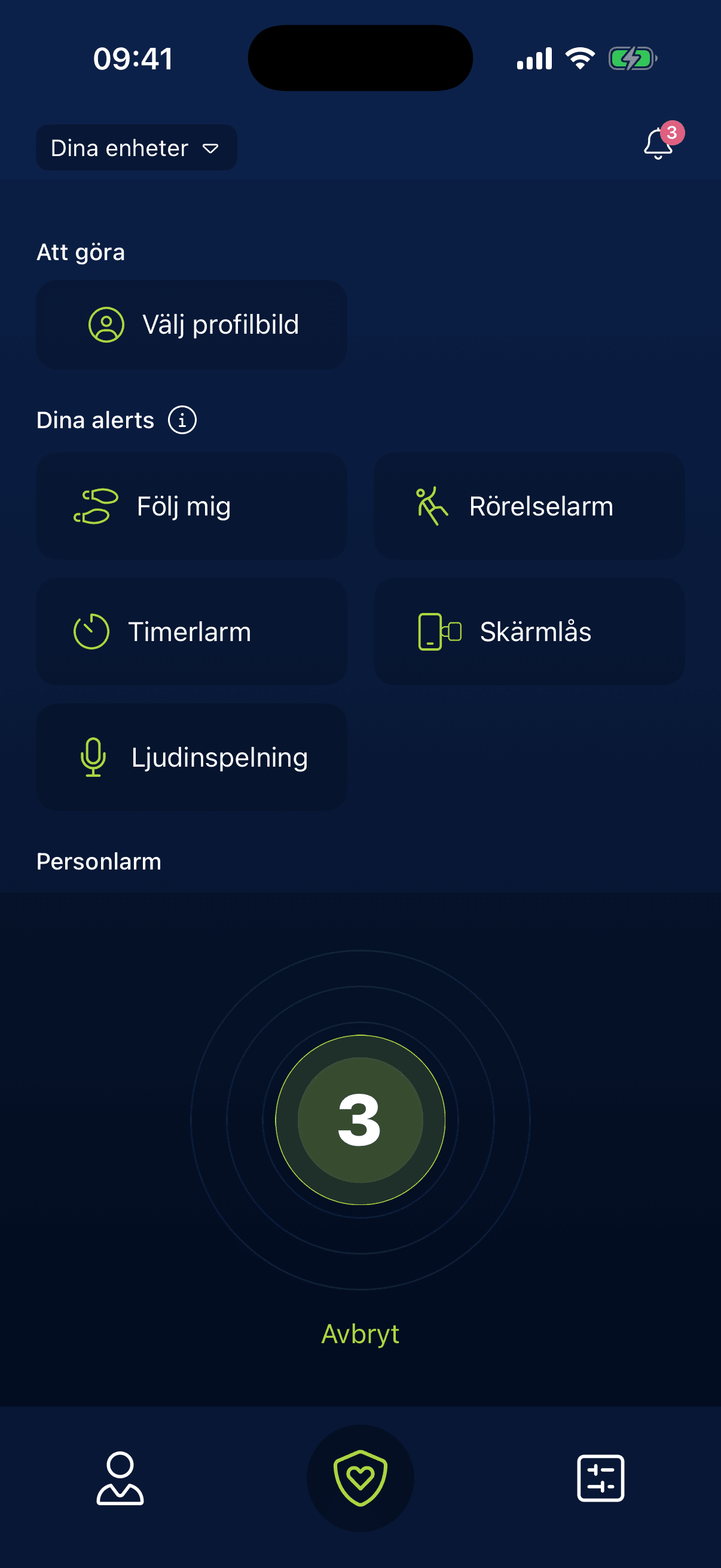
- I removed the long press. One tap starts a visible 3-2-1 countdown on the button, with a clear "Avbryt" (cancel) link underneath. When it reaches zero, the alarm opens the live comms screen.
- Why
- One tap is fast. The three seconds still catch a pocket tap or a slip, and you always know what's about to happen.
Stopping an alarm needs your PIN
- Problem
- If someone takes the phone, a single tap could silence the alarm.
- Decision
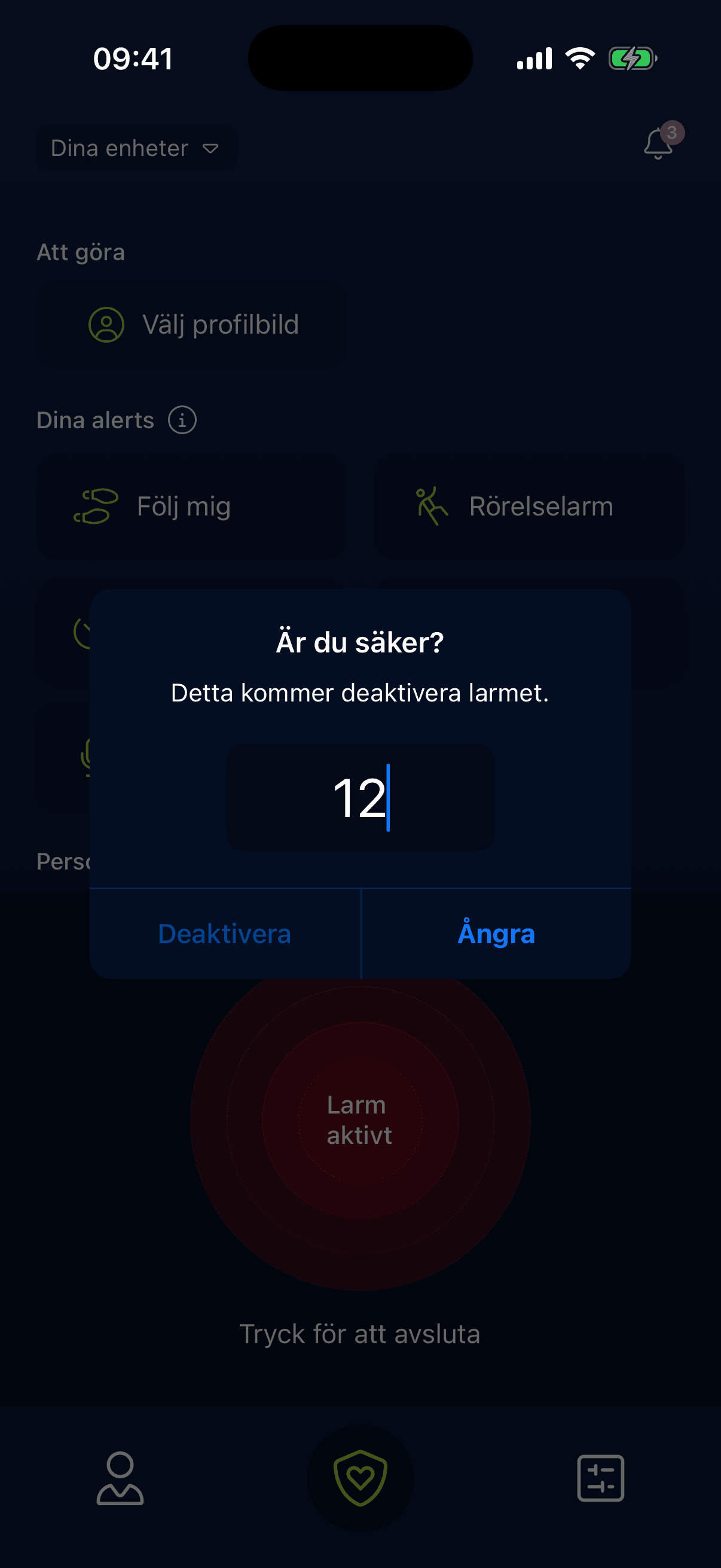
- You choose a four-digit personal code during onboarding. Ending an active alarm asks "Är du säker?" (are you sure?) and then the PIN. Before an alarm can start at all, the app checks that you have at least one contact and sends you to add one if not.
- Why
- Raising an alarm should be easy and ending one should take a bit of effort. An alarm with nobody to receive it fails silently, so it gets caught at setup and not in an emergency.
Test mode inside onboarding
- Problem
- Fall detection runs on sensitivity and tilt settings that mean nothing until you feel them. If they're set wrong, you get false alarms or a missed fall.
- Decision
- Next to the sliders for movement sensitivity and tilt angle, onboarding has a test mode. Shake the phone or tilt it, and the card confirms "Toppen! Du har rätt känslighet inställd." (Great, your sensitivity is set right). The same pattern pairs a physical Flic button. The alarm button itself has a practice state, "Tryck för att testlarma" (tap to send a test alarm), which never contacts the alarm centre.
- Why
- People trust an alarm they have already tried. It turns an abstract setting into something you can feel, before you need it for real.
Flow
From tap to help, and back
Every screen here runs on a made-up user and made-up contacts.
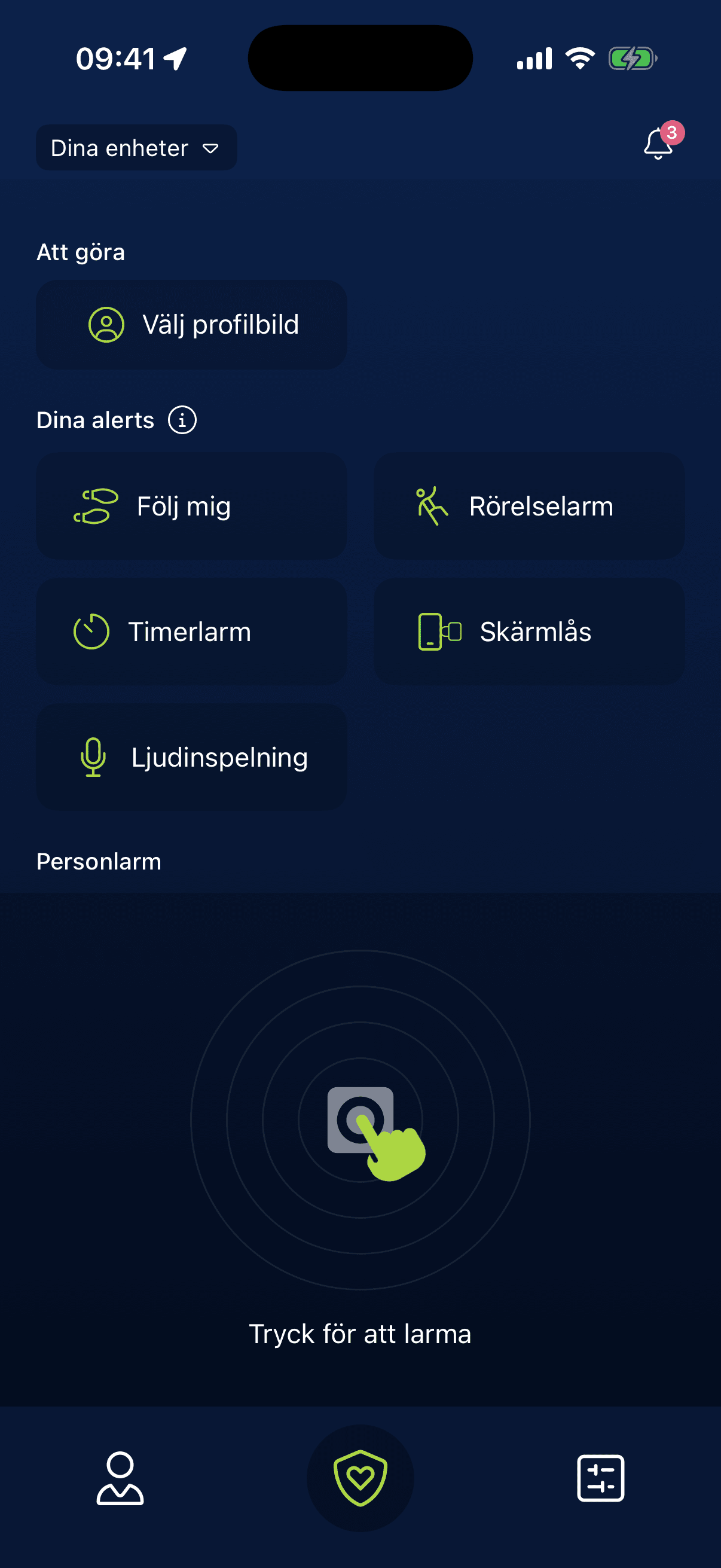
One button, always there
The alarm button owns the bottom half of the home screen. The other alarm types sit above it as plain tiles: Follow me, movement, timer, screen lock and audio recording.
Tap, then three seconds
One tap starts a 3-2-1 countdown on the button itself, with Avbryt underneath. A pocket tap is caught before anyone is called.
The alarm is unmistakable
Red rings and one sentence: the alarm is active, tap to end it.
Ending it takes your PIN
"Är du säker?" and then the personal code, so someone who grabs the phone can't silence it.
Feel the settings first
Onboarding lets you test movement sensitivity and tilt angle right next to the sliders, before you rely on them.
Your places and your people
Saved places and the contacts who get the alarm, set up once and kept in one profile.
Follow me home
Pick where you're going, how you travel and who follows along, with an estimated arrival time.
Design system
The system
A dark navy base that stays calm, one green for active and safe states, one red reserved for alarms.
System font (SF Pro / Roboto)
Everything
- Concentric rings around the alarm button turn red while an alarm is active
- Permissions are checked one by one, each with a short reason for why it's needed
- Swedish UI
Outcome
Where it landed
The app runs on iOS and Android against its own .NET backend. It covers the personal alarm, Follow Me, fall detection, timer and screen-lock alarms, Flic2 buttons and BLE beacons, alarm history and an iOS Live Activity.